Account and settings
Connect or disconnect a Shopify store, choose which emails you get, see your monthly imports and rows, switch the theme, and delete your account and data.
Connect your Shopify store
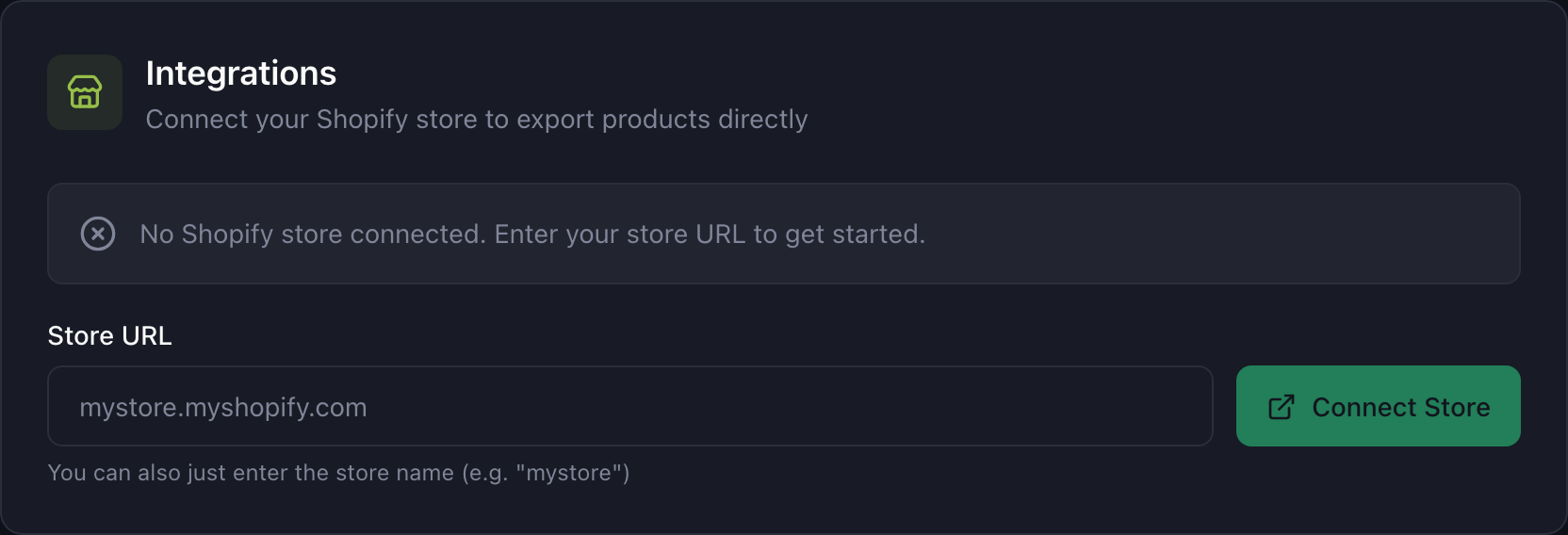
Installed Portaim from the Shopify App Store? Your store is connected already, and Portaim opens from the admin’s Apps menu. Otherwise, to use the direct export, connect the store from the standalone app:
- Open Settings.
- Under Integrations, enter your store’s
.myshopify.comdomain. - Click Connect Store and approve the request on Shopify’s confirmation page.
- You are sent back to Portaim with the connection active.
Portaim asks for the permissions it needs and nothing else: read and write products, inventory, files and metaobjects (for product attributes), and read your locations. A store connected before attributes shipped sees Permissions update in Settings and on the Export step; approving it is a one-time Shopify prompt, and until then attributes are exported as custom metafields.
You can disconnect at any time from the same place. Disconnecting switches off the connection; it does not change anything in the store.
Notifications
Under Notifications you choose which emails Portaim sends:
| When | |
|---|---|
| Import & Validation | Your file could not be processed because of an unexpected error. |
| Export Results | A direct export finished, with the counts and any failures. |
| Billing & Subscription | Changes to your plan. |
| Account & Usage | Account changes and monthly usage notices. |
Plan and usage
Portaim is free. The free plan covers 10 imports and 1,500 processed rows a month, and the counters reset at the start of each month. Plan & Usage in Settings shows where you stand.
A file larger than the rows you have left is imported up to the limit, with a note saying how many rows were processed and how many were skipped. Once the whole allowance is used, the import stops with a message saying the limit resets at the start of next month.
Appearance
The theme switch in the header offers light, dark, or your system’s setting. Inside the Shopify admin, Portaim always uses the light theme.
Your data
Uploaded files are stored in private cloud storage behind time-limited links; Shopify access tokens are encrypted at rest. The privacy policy has the details.
Delete Account under Data & Privacy in Settings removes everything at once: your profile and account, every import and its validation data, the uploaded files in storage, and the Shopify connection. Deletion is immediate and cannot be undone. Products you already exported stay in your Shopify store; Portaim never deletes from a store.
Team access
One account, one organisation.